Dev-Team has recently released an untethered 5.0.1 jailbreak for non-A5 devices. If you have a compatible device and are interested in jailbreaking, just follow our instructions below.
We’d like to thank @pod2g for making this jailbreak possible. He’s still working on a jailbreak for A5 devices like the iPad 2 and iPhone 4S, we’ll keep you updated on his progress.
What you need:
- Compatible iOS device (iPhone 3GS, iPhone 4, iPad 1, iPod touch 3G or iPod touch 4G)
- Device updated to latest firmware, iOS 5.0.1
- iTunes 10.5.2
- redsn0w 0.9.10b1 for Mac
Make sure you backup your device using iTunes or iCloud before following this tutorial.
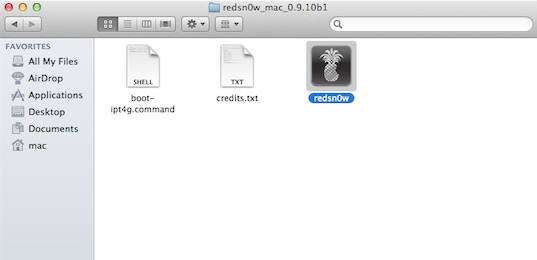
- Download redsn0w and extract the ZIP file.
- Double-click to open the redsn0w app (the icon with a bite taken out of a pineapple).
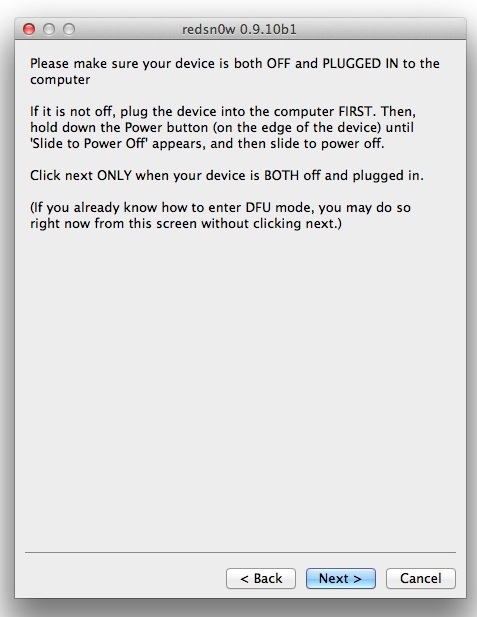
- When the app loads, click the “Jailbreak” button. It ask you to connect the device to your Mac and then turn it off. After you do that, click “Next”.

- Follow the on-screen instructions.
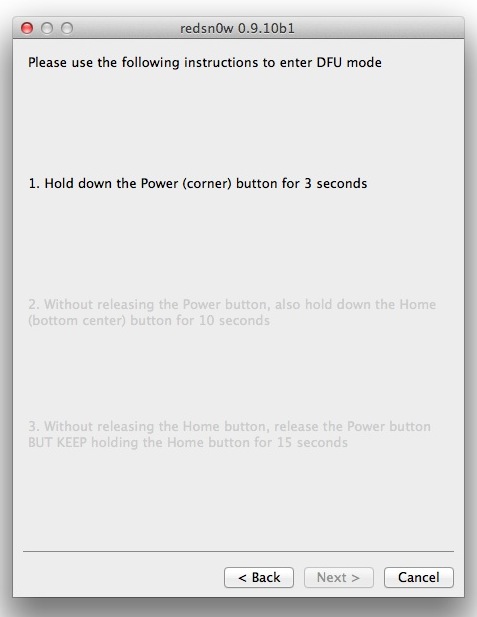
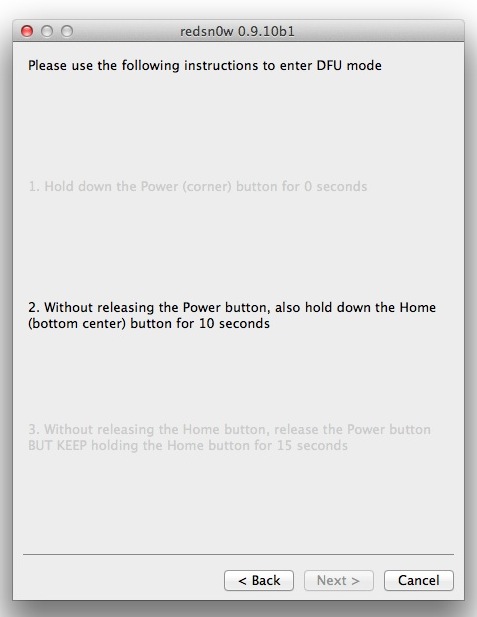
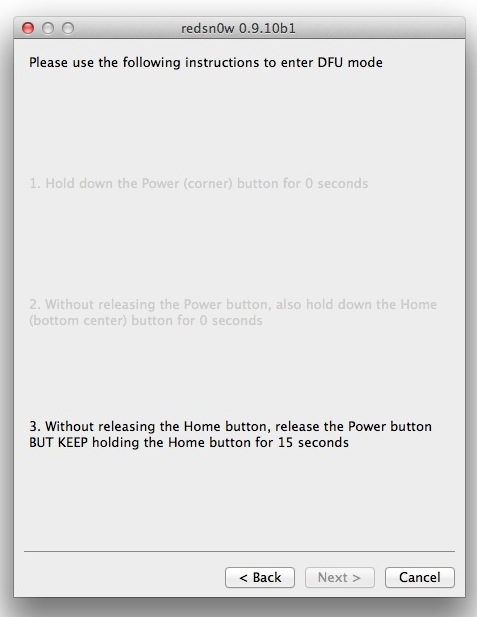
- The device will reboot and redsn0w will prepare the jailbreak data.
- You will have an option to install Cydia, check that and click the “Next” button.
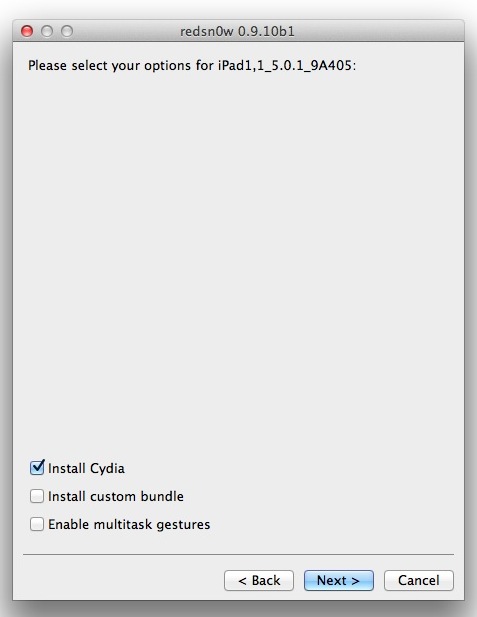
- The device will reboot and display “Downloading Jailbreak Data” on the screen. Be patient and let the process continue, you will be notified once redsn0w is done.
- Once redsn0w is complete and the device reboots, it will be jailbroken and you will see Cydia on the home screen.
Let us know if you have any questions or comments.